
What the application kit adds
This starter is for an app with one user per account. The application kit is its paid sibling for apps that teams share: the same stack and the same package versions, so moving up is adding features, not migrating.
| This starter | The application kit |
|---|---|
| Who uses an account | |
| One person. Every row belongs to one user, and there are no organizations, members, invitations or roles. | Organizations. People create or join one, switch between them, invite colleagues and change roles. |
| Billing | |
| One plan, per user: a hosted checkout to subscribe and a customer portal to manage or cancel. | Billing per organization, with several plans to choose from, through a hosted checkout and a billing portal. |
| Dashboard | |
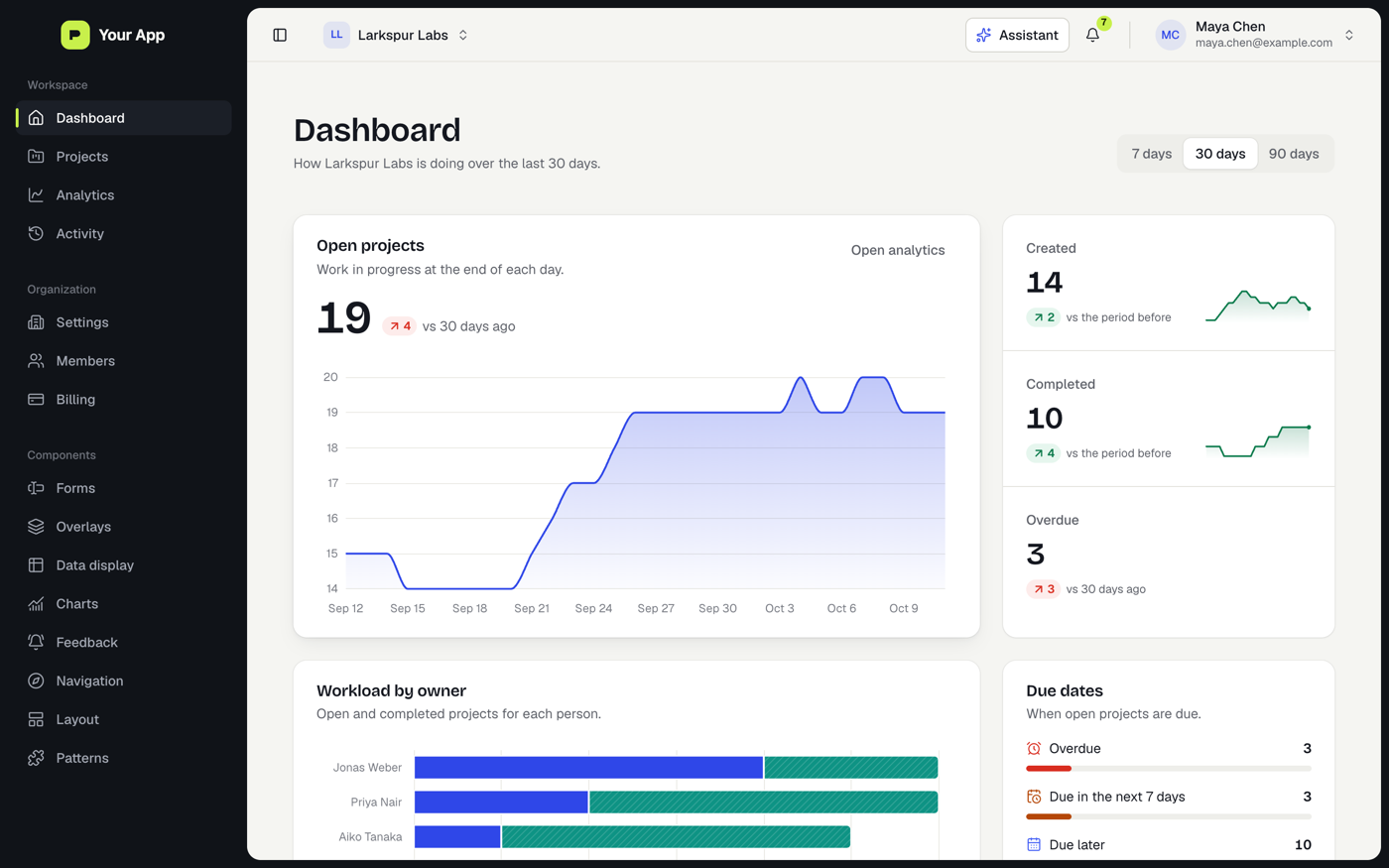
| None. Home is the example table. | A dashboard read from the API: a chart of open projects with figures for created, completed and overdue, workload by owner, due dates and recent activity, over 7, 30 or 90 days. |
| The example to copy | |
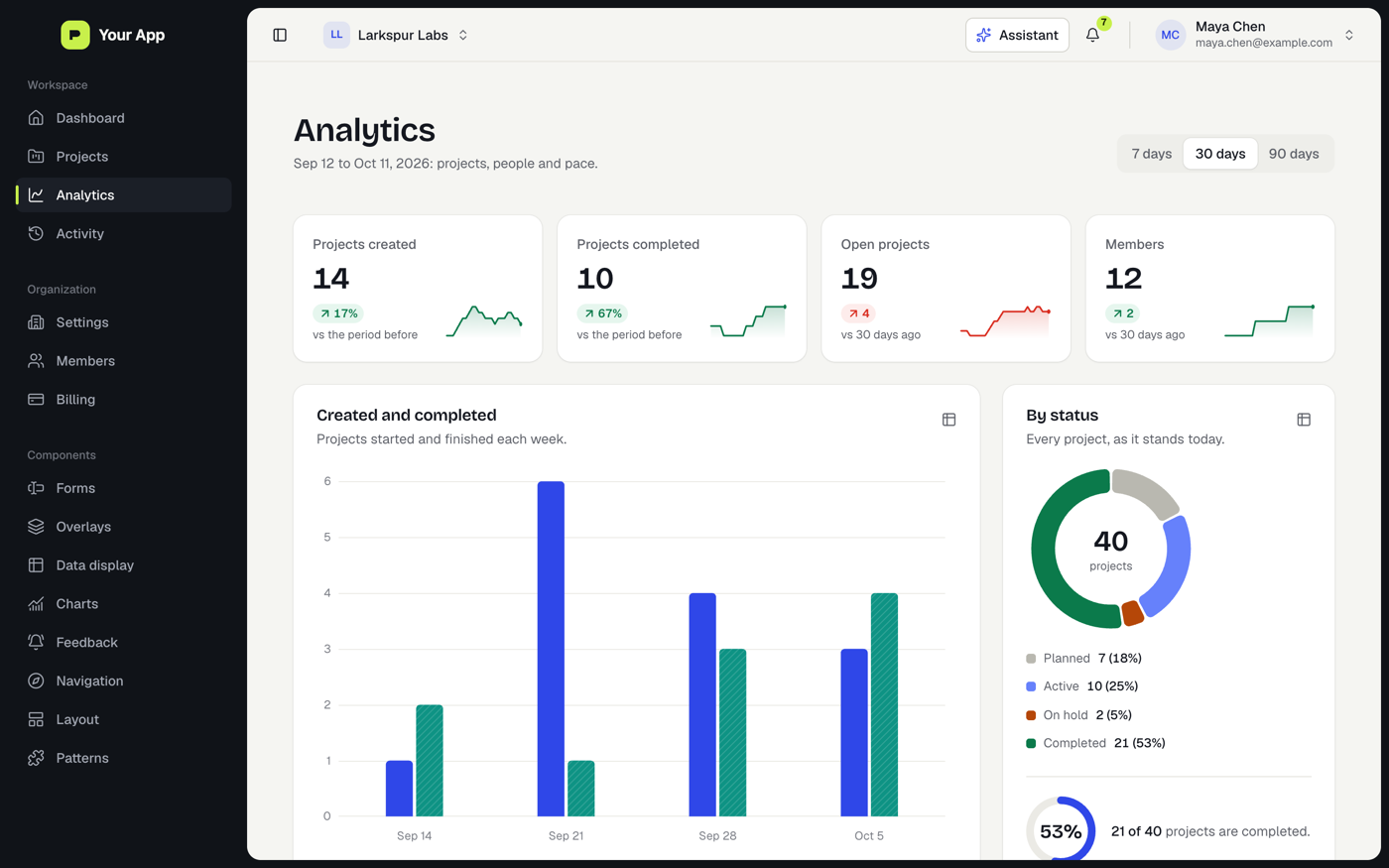
| Notes, owned by the signed-in user: list, create, edit and delete, and a CSV export that needs a subscription. | Projects, shared by an organization: a list that keeps its search, filter, sort and page in the address, a form in a dialog, a page per project, and an Analytics page of charts over the same data. |
| Charts | |
| None. | A chart system: line, area, bar, combined bar and line, donut, funnel and a calendar heatmap. Every chart reads its colours from the design tokens and has a table view of the same numbers. |
| Activity and notifications | |
| None. | An activity feed that records changes as they are made, and a bell in the header that counts what other people did since you last looked. |
| Assistant | |
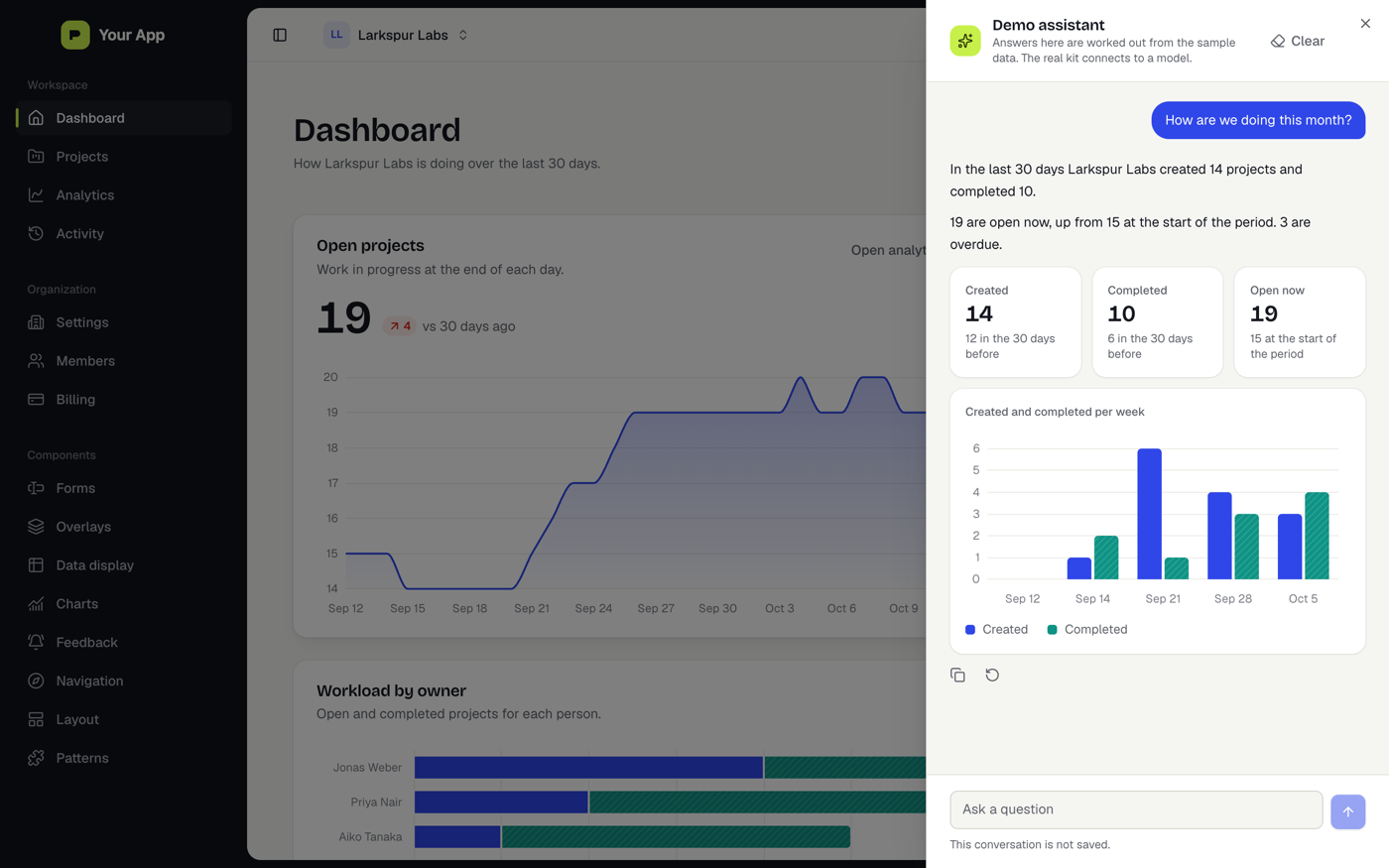
| None. | A panel where a member asks questions about the organization in plain words and gets answers with lists, figures and charts. It needs a model key on the API and is off without one. |
| Account screens | |
| The sign-in provider’s own account page. | Account settings in three tabs (profile, security, notifications), a profile page per member, and organization settings. |
| Component gallery and demo | |
| None. The app cannot be tried without a sign-in provider account. | A gallery in the app that shows every component running with the code to copy, and a public demo build that needs no accounts. |
What it looks like
Look at it before you decide
The live demo is the application kit running on sample data. There is nothing to sign up for.